Device settings
The device card gives you full control over parameters, schedule, downloads, and remote actions.
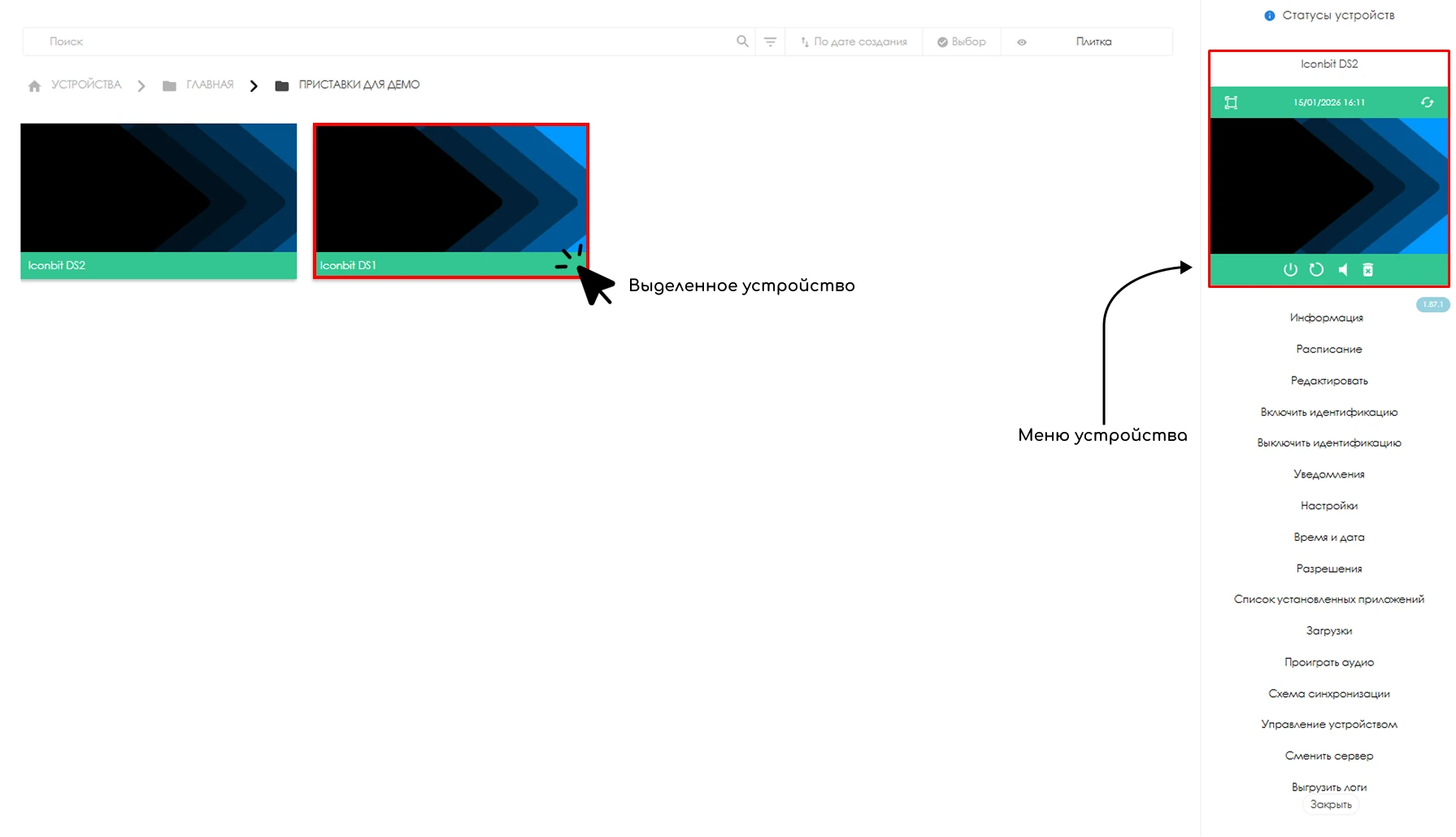
Actions in the device card
Information
Detailed device info, software version, platform
Schedule
Jump to the schedules applied to the device
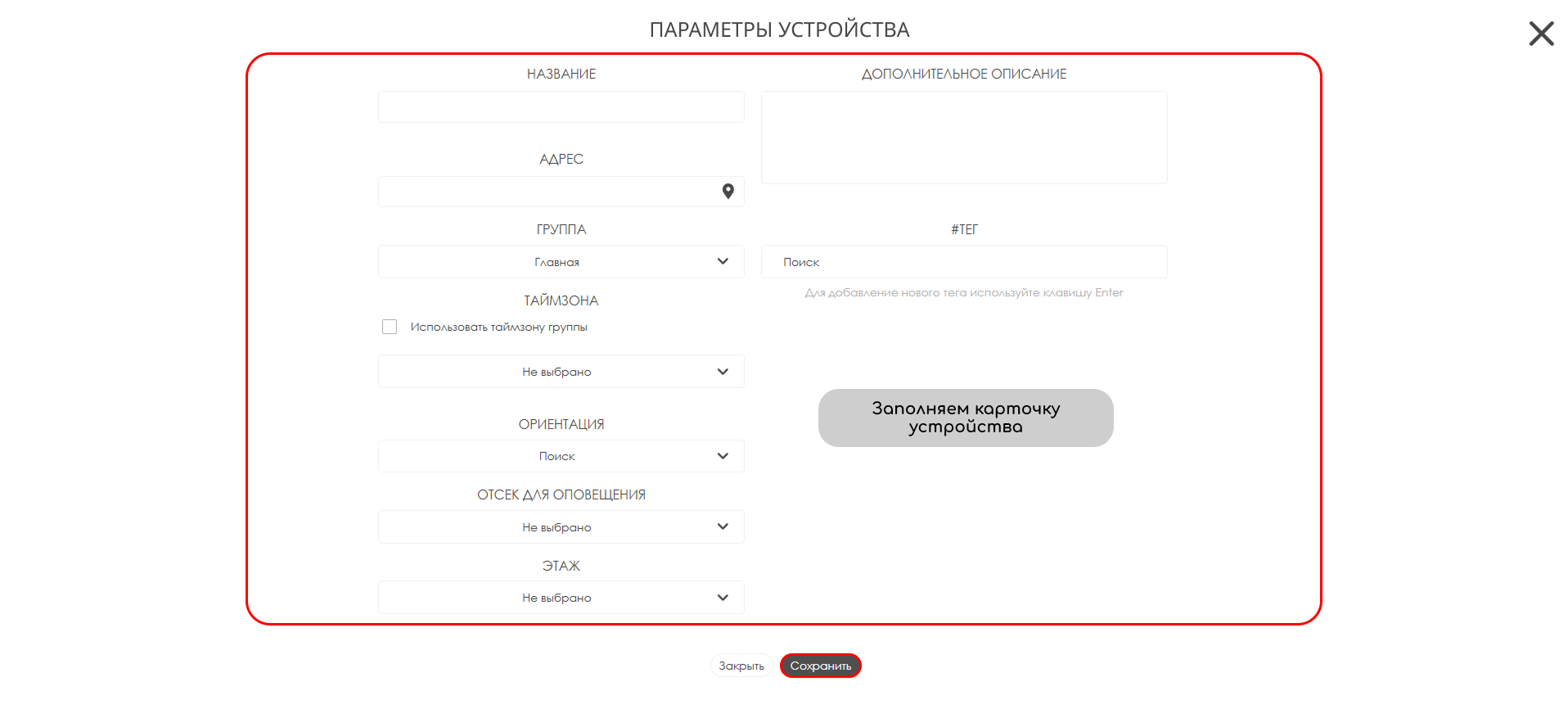
Edit
Change the basic data: name, address, tags, group
Notifications
Configure alerts on device status
Settings
System parameters of the device
Downloads
Monitoring of current downloads and broadcast state
Advanced parameters
The device settings include:
- Reboot automation — a schedule for planned reboots
- On/off schedule — time-based power management
- Volume and brightness — remote adjustment
- Kiosk mode — locking on-device controls
- Log collection — diagnostics configuration
- Content synchronization — for compatible multi-zone scenarios
Remote control
The device card exposes these buttons:
| Action | Description |
|---|---|
| Screenshot | Refresh the screen capture |
| Power off | Power the device off |
| Reboot | Reboot the device |
| Restart app | Restart SmartPlayer |
| Volume | Adjust the audio level |
| Detach | Reset the device (it will show a new 9-digit code) |
After detaching, the device must be added again with a new registration code. Use it only when you need to reconnect the device to a different account.
Android: extended remote control
For devices on Android OS, the wiki describes a dedicated remote-control scenario: enabling the option in the device settings, opening Device control in the device card, and working with a virtual remote, file transfer, a terminal, a file manager, and keyboard capture.
In practice this is useful not only for driving the screen but also for recovering a troubled device: you can open the file manager, read logs in the terminal, send a file, or install a new APK when the client app won't start.
The feature depends on the client app build, user permissions, root access or the manufacturer's firmware signature, and the network layout. The wiki separately notes local servers, NAT/STUN scenarios, and audio support from Android 10+, so for production scenarios set up remote control together with a technical specialist and verify the details against the current wiki page: Remote control of an Android OS device.
Clear logs without deleting content
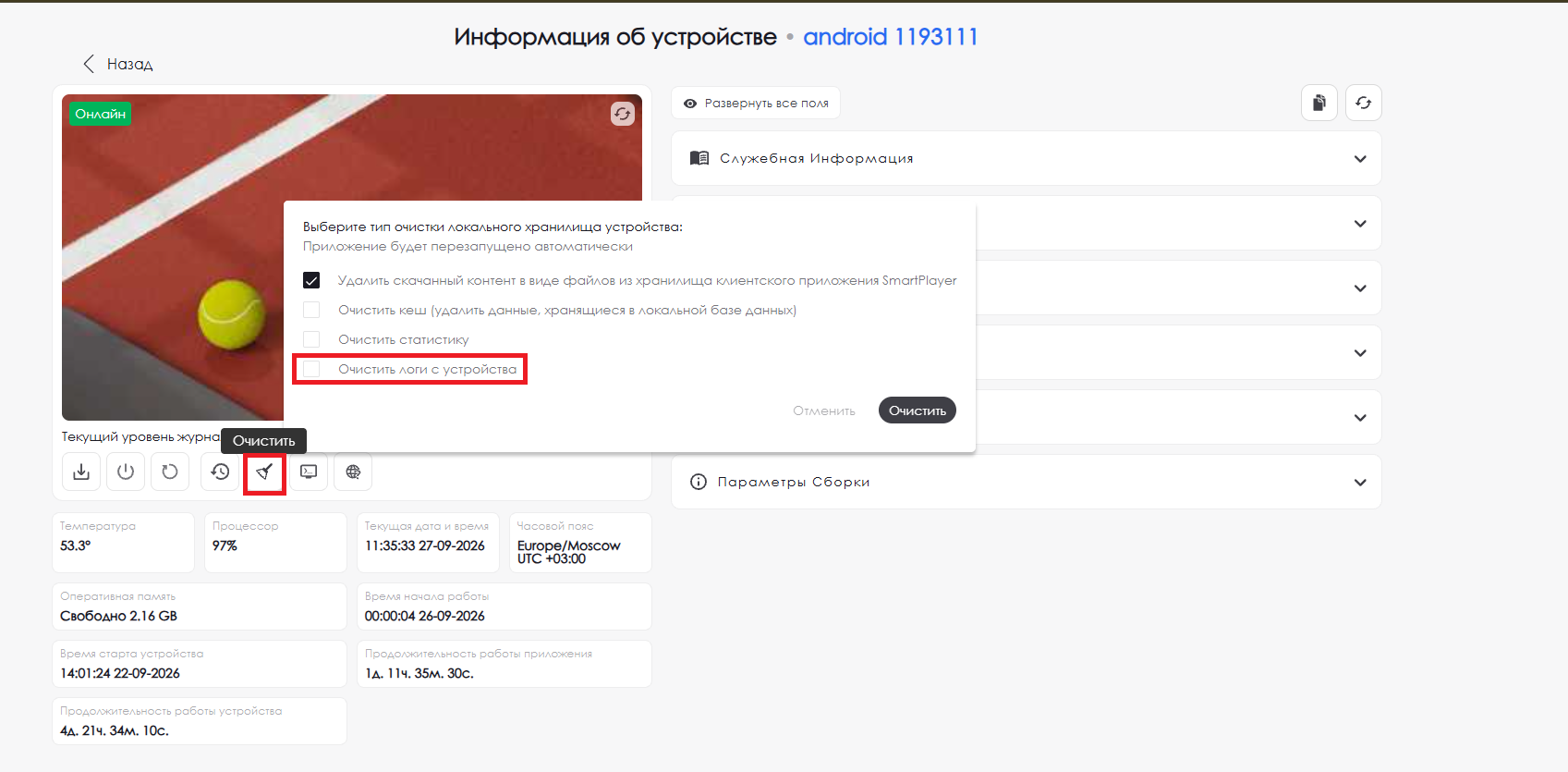
Open Devices → select a device → Information and click the broom-shaped Clear icon. In the dialog, select only Clear logs from the device. Clear the checkboxes for deleting downloaded content, clearing the cache and clearing statistics, then click Clear. The dialog states that the application restarts automatically.
The wiki example below has content deletion selected: clear that checkbox before confirming a logs-only cleanup. Content is preserved only when its deletion is not selected.
Time synchronisation with the server
For the Android scenario documented in the wiki, open Devices → select a device → Settings → Control automation. Enable Precise time synchronisation with the server and set:
| Field | Allowed range |
|---|---|
| Permitted time difference | 5–300 seconds; default 5 seconds |
| Request interval | 15–1440 minutes |
Click Save changes and check the device time. This adjusts time; synchronised playback is configured separately.
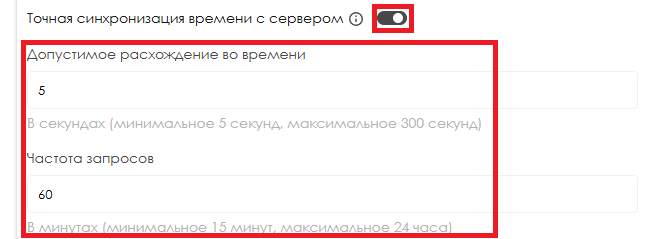
Source: Time synchronisation with the server.
Android: audio player and file delivery
In Settings → Audio player, enable Audio player mode, optionally enable Show volume control, then click Save changes. The control becomes available on the device while audio announcements play. See Announcements.
Use Android P2P downloads to transfer files within a group; configure it in group settings.
Sources: Очистка логов/ru, Взаимодействие с аудиоплеером на Android OS/ru, Работа peer-to-peer (P2P) на Android/ru.