Authentication
Access to SmartPlayer is provided through the web-based CMS interface. Enter your login email and password on the sign-in screen.
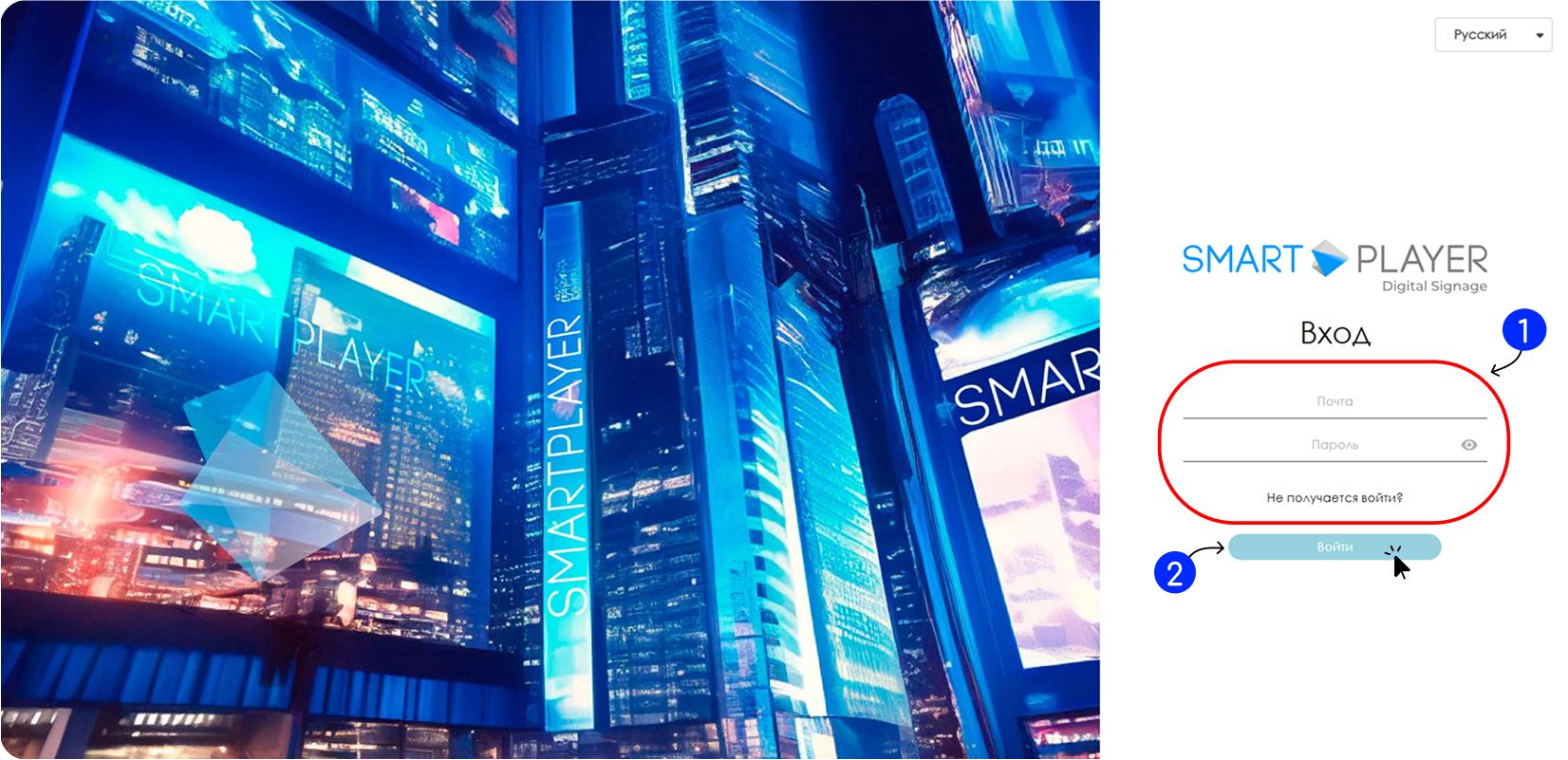
Sign in
Open a browser and go to your management console URL
The console address is provided when access is issued. For the cloud version, use the standard SmartPlayer URL.
Enter your login and password
- Login — your email address
- Password — issued by an administrator or set by you
The "Cannot sign in?" link on the authentication screen opens the access recovery form. If the account is blocked, contact your system administrator.
Open the workspace after successful sign-in
If the credentials are incorrect, the system shows an error message. Check the keyboard layout and make sure the email address is correct.
After authentication
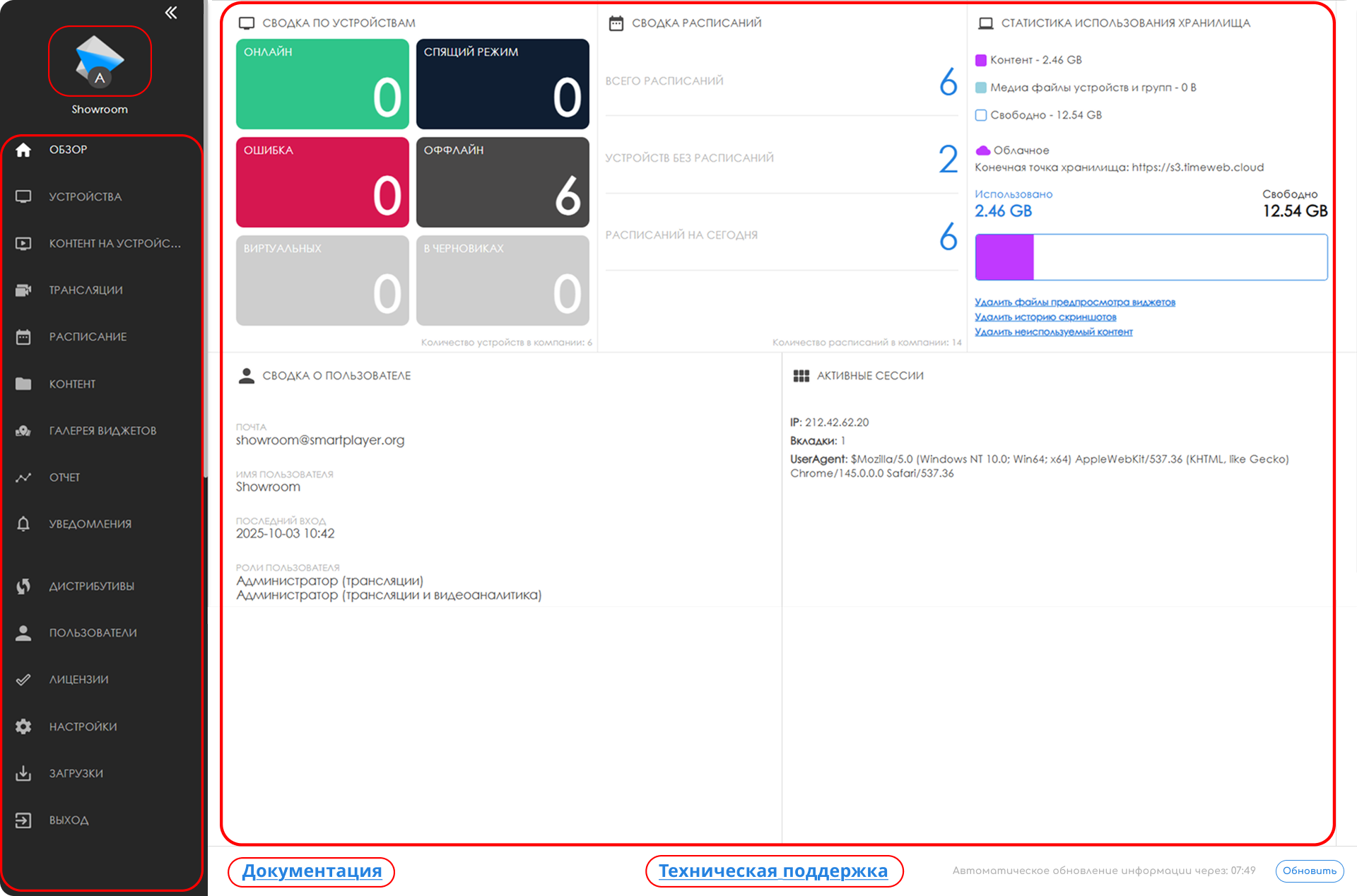
After sign-in, the main page of the management console opens:
- Left sidebar — main navigation between sections
- Workspace — content of the selected section
- User menu (avatar) — profile, role, and sign-out
- Links to documentation and technical support
Corporate sign-in (SSO)
If corporate SSO is configured for your company, use the sign-in method provided by your administrator. SmartPlayer documents SAML and ADFS integration; setup belongs to the company administrator. If the required option is missing, contact the administrator rather than creating another account.